
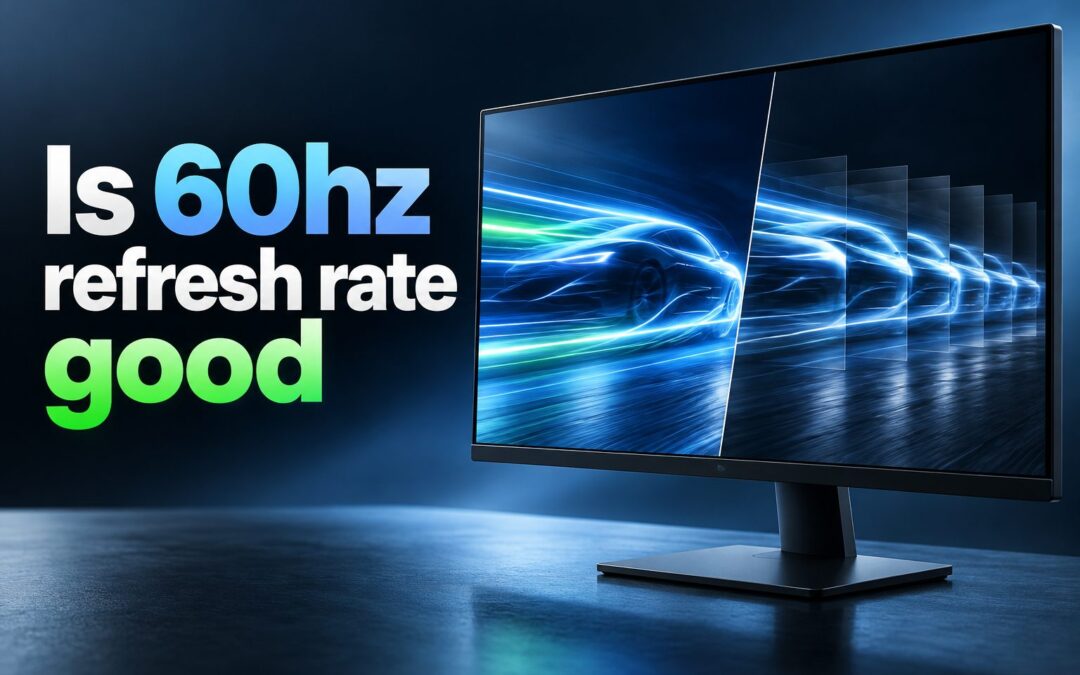
A 60Hz refresh rate is good for many everyday tasks, but whether it is the right choice depends on how you use your screen. Refresh rate measures how many times a display updates the image each second. A 60Hz monitor, television, phone, or laptop screen refreshes up to 60 times per second. For browsing, office work, streaming, video calls, casual gaming, and movies, that is usually enough. However, fast competitive games, rapid scrolling, and certain creative workloads can feel smoother on 120Hz, 144Hz, or higher displays. This guide explains what 60Hz means, where it performs well, when it may feel limiting, and how to decide if upgrading is worthwhile.
What A 60Hz Refresh Rate Means
A refresh rate is measured in hertz, abbreviated as Hz. One hertz equals one screen update per second, so a 60Hz display can show up to 60 refreshed frames every second.
Refresh rate is different from resolution. Resolution determines how sharp the picture looks by describing the number of pixels on the screen. A display can be high resolution and still run at 60Hz. It can also have a high refresh rate but a lower resolution.
Frame rate matters as well. A computer, game console, or phone must produce frames for a screen to display them. If a game runs at 60 frames per second on a 60Hz monitor, the screen can present all of those frames. If the game runs much faster, the display may not show every extra frame.
Why 60Hz Still Works Well
A 60Hz refresh rate has remained common because it provides a stable, comfortable experience for typical digital tasks. It is also widely supported by laptops, monitors, televisions, cables, consoles, and software.
For standard use, the difference between 60Hz and a higher refresh rate may be noticeable but not essential. Reading an article, editing a document, answering email, attending a meeting, or watching a show does not usually require extremely fast screen updates.
Many films are created at 24 frames per second, while common television content may run at 24, 30, or 60 frames per second. A 60Hz screen can display these formats effectively, especially when its motion handling is decent.
When 60Hz Is Good Enough
1. Office Work And Study
A 60Hz display is usually ideal for writing, spreadsheets, presentations, research, email, and online learning. Text remains readable, menus respond normally, and ordinary scrolling is functional. Resolution, screen size, brightness, and ergonomics often make a bigger difference than refresh rate for productivity.
2. Web Browsing And Social Media
Websites and social platforms work perfectly well at 60Hz. Faster screens can make scrolling appear more fluid, but 60Hz is still comfortable for most people. If pages feel jerky, the issue may be a slow device, poor internet connection, or heavy browser extensions rather than refresh rate alone.
3. Streaming Movies And Shows
For streaming entertainment, 60Hz is more than adequate. Most movies run at 24 frames per second, and many shows use 24, 25, or 30 frames per second. A good 60Hz television or monitor can provide an enjoyable picture with strong color, contrast, and brightness.
4. Video Calls And Remote Work
Video calls rarely need more than 60Hz. Camera quality, microphone clarity, lighting, internet stability, and screen resolution have a far larger impact on the experience. A 60Hz laptop display is a sensible choice for home offices and remote learning.
5. Casual Console Gaming
A 60Hz screen works well for many console games, especially story-driven adventures, racing games, sports games, puzzle titles, strategy games, and older releases. Many console games are designed around 30 or 60 frames per second, so a 60Hz television remains practical.
6. Budget Computer Builds
Choosing a 60Hz monitor can free money for a better processor, graphics card, storage drive, or larger display. For users who do not play fast competitive games, that balance can lead to a better overall computer experience.
7. Basic Photo And Document Editing
Photographers, students, and office users can edit images and documents comfortably on a 60Hz display. For this work, accurate colors, good brightness, wide viewing angles, and enough screen space generally matter more than having a very high refresh rate.
When 60Hz Can Feel Limited
1. Competitive Gaming
Fast multiplayer games often benefit from 120Hz, 144Hz, 165Hz, or higher refresh rates. These displays can make motion clearer and reduce the time between visual updates. In games where quick reactions and precise tracking matter, many players find higher refresh rates easier to use.
2. Fast Scrolling
Scrolling through long pages, feeds, menus, and documents can look noticeably smoother above 60Hz. This does not mean 60Hz is unusable, but people who regularly use high-refresh phones or tablets may notice a difference when returning to a standard display.
3. High Frame Rate Games
If a computer can consistently run a game at more than 60 frames per second, a 60Hz monitor cannot show all of those frames. The game can still feel responsive, but the visual benefit is limited by the screen’s refresh ceiling.
4. Motion-Sensitive Users
Some people are more sensitive to motion clarity, screen tearing, or perceived blur than others. They may prefer a higher refresh rate even for browsing and general use. Personal comfort is a valid factor when selecting a display.
5. Premium Mobile Devices
Many modern phones and tablets offer 90Hz or 120Hz screens. Once you become used to that smoother interface, 60Hz may appear less fluid during animations, swipes, and scrolling. For basic phone use it remains fine, but the difference can be easy to see side by side.
6. Fast Creative Workflows
Video editors, motion designers, and people who work with fast animation may appreciate a higher refresh display. It can make timeline movement, playback controls, and motion review feel more immediate, although color accuracy and resolution still remain important.
7. Future-Focused Purchases
If you plan to keep a monitor for several years and expect to play newer games or buy more powerful hardware, a higher refresh rate may be a better long-term investment. The correct choice depends on budget and actual use, not on specifications alone.
60Hz Compared With Higher Refresh Rates
A 60Hz screen updates every 16.7 milliseconds. A 120Hz screen updates every 8.3 milliseconds, while a 144Hz screen updates about every 6.9 milliseconds. The faster update cycle can make moving objects and cursor movement appear smoother.
The benefit is most visible when content is moving quickly. Mouse movement, scrolling, racing games, first-person shooters, and animated interfaces can all feel more fluid. Static tasks such as reading a document do not gain as much.
Higher refresh rate is not automatically better in every situation. It can increase power use, reduce battery life on portable devices, and cost more. A poorly calibrated 144Hz monitor with weak contrast may be less enjoyable for movies and photo work than a well-made 60Hz display.
Response time is another separate specification. Refresh rate tells you how frequently the screen can update. Response time describes how quickly pixels change color. A 60Hz display with good response behavior can look better in motion than a poorly tuned high-refresh display.
Important Factors Beyond Refresh Rate
Display quality involves more than the number on the product label.
Color quality affects how natural photos, video, and design work look. Contrast affects how deep blacks and bright highlights appear. Resolution affects text sharpness and workspace. Panel type can affect viewing angles, black levels, and motion behavior.
Screen size and viewing distance matter too. A 24-inch 1080p monitor may work well for a desk, while a larger display may benefit from a higher resolution. A 60Hz 4K screen can be excellent for productivity, editing, and media consumption.
Adaptive sync technology can also improve gaming. It helps match the display’s refresh timing to the output from a compatible graphics processor or console. This can reduce tearing and stuttering when frame rates change.
How To Decide If 60Hz Is Right For You
1. Identify Your Main Activity
Think about what you do most often. If your day involves email, documents, browsing, streaming, and meetings, 60Hz is likely sufficient. If you spend many hours in fast online games, a higher refresh rate may offer a clearer benefit.
2. Check Your Device Performance
A powerful gaming computer can produce high frame rates, but an older laptop may struggle to reach 60 frames per second in demanding games. Paying for a 144Hz monitor makes less sense if your hardware cannot use it effectively.
3. Set A Realistic Budget
Do not sacrifice important display features just to get a larger refresh number. Compare resolution, panel quality, brightness, ports, warranty, ergonomics, and refresh rate together. A balanced display usually provides better value than one impressive specification.
4. Consider Battery Life
On laptops and phones, higher refresh modes can use more power. Some devices automatically reduce their refresh rate when a high setting is unnecessary. If long battery life matters most, 60Hz can be an efficient choice.
5. Try A Higher Refresh Screen
If possible, use a 120Hz or 144Hz display before buying one. The improvement is obvious to some people and modest to others. Your own perception and use habits are more useful than general claims online.
6. Think About Your Upgrade Cycle
A display can last many years. If you expect your gaming habits or computer hardware to change soon, a higher refresh model may be worthwhile. If you replace devices frequently or use simple tasks, 60Hz remains a sensible option.
7. Avoid Buying For Specs Alone
A higher number does not guarantee a better experience. Read the product details carefully and consider your actual needs. A screen should improve the work or entertainment you care about, not simply win a specification comparison.
Common Mistakes To Avoid
1. Confusing Refresh Rate With Frame Rate
Refresh rate belongs to the display, while frame rate comes from the device or game. A game may render 120 frames per second, but a 60Hz monitor can only refresh 60 times per second. Both figures affect the final experience.
2. Assuming 60Hz Is Always Bad
Calling 60Hz outdated ignores how many people use their screens. It remains effective for office tasks, video, web browsing, casual games, and many console setups. The best refresh rate is the one that matches the work being done.
3. Ignoring Resolution And Panel Quality
A higher refresh rate should not distract from image quality. For productivity, reading, editing, and entertainment, a sharp screen with good color and contrast can matter more than the jump from 60Hz to 144Hz.
4. Expecting More Frames Without Better Hardware
A monitor cannot force a computer or console to create more frames. If a game runs at 45 frames per second, buying a 144Hz display will not automatically make it run at 144 frames per second.
5. Forgetting Cable And Port Limits
Some older cables, adapters, and ports may not support high resolutions at high refresh rates. Before upgrading, check whether your device and connection support the display settings you want to use.
6. Overlooking Settings
A new high-refresh monitor may default to 60Hz until you change the operating system or console settings. Always confirm that the selected refresh rate matches the display’s capability after setup.
7. Treating Every Game The Same
A turn-based strategy game and a competitive shooter have very different needs. Choose a display based on the games you actually play, not only on the genre that receives the most attention in reviews.
Best Practices For A Better 60Hz Experience
1. Use The Native Resolution
Set the display to its native resolution for the sharpest image. Running a screen at a non-native resolution can make text and images look softer, which may be mistaken for a refresh-rate problem.
2. Keep Graphics Settings Balanced
For gaming, aim for steady performance near 60 frames per second rather than unstable settings that swing dramatically. Smooth, consistent frame pacing often feels better than occasional high numbers followed by sudden drops.
3. Enable Suitable Sync Options
If your device supports adaptive sync or a compatible frame-sync setting, test it in games. It may reduce visible tearing and make changing frame rates look smoother on a 60Hz display.
4. Adjust Motion Settings On Televisions
Televisions may include motion smoothing or interpolation features. These can improve some sports content but make films look unnatural to certain viewers. Test the options and select the setting that feels most comfortable.
5. Improve Ergonomics
Position the display at a comfortable height and distance, reduce glare, and adjust brightness for your room. Eye comfort is influenced by lighting, posture, text size, and breaks, not refresh rate alone.
6. Maintain Your Device
Close unnecessary background programs, update graphics drivers when appropriate, and make sure the device is not overheating. Better performance can improve the feel of a 60Hz screen without requiring new hardware.
7. Match The Screen To The Task
A 60Hz 4K monitor may be ideal for office work and detailed media, while a 144Hz 1080p or 1440p monitor may be better for competitive gaming. Select the compromise that serves your priorities.
Practical 60Hz Use Cases
1. Home Office Monitor
A 60Hz monitor with good text clarity, adjustable height, and enough screen space is excellent for remote work. It supports documents, spreadsheets, chat tools, dashboards, and video calls without demanding expensive gaming-focused features.
2. Student Laptop
Students often benefit more from portability, battery life, keyboard comfort, and screen resolution than extreme refresh rates. A 60Hz laptop can handle coursework, research, streaming, and light gaming comfortably.
3. Living Room Television
For movies, shows, news, and many console games, a 60Hz television remains a strong option. Picture quality, screen size, sound, and smart features may be more important than a higher refresh rate.
4. Family Computer
A shared household computer used for browsing, schoolwork, shopping, email, and media does not need an expensive high-refresh monitor. A reliable 60Hz display is practical and cost-effective.
5. Creative Secondary Screen
Designers and editors sometimes use a 60Hz secondary monitor for tool panels, documents, reference material, or communication apps. In that role, color consistency and workspace can matter more than motion smoothness.
6. Casual Gaming Setup
Players who enjoy single-player adventures, simulation games, indie games, and older titles can have a great experience at 60Hz. A stable 60 frames per second with sensible settings is still enjoyable.
Frequently Asked Questions
1. Is 60Hz Good For Gaming?
Yes, 60Hz is good for casual gaming, single-player games, console titles, strategy games, sports games, and many older releases. It is less ideal for highly competitive games where fast motion clarity and reaction timing matter. A stable 60 frames per second is still a solid experience.
2. Is 60Hz Bad For A Monitor?
No, a 60Hz monitor is not bad. It is a practical choice for work, study, web use, streaming, video calls, and general computing. Whether it feels limiting depends on your expectations, budget, and how much time you spend playing fast-paced games.
3. Can You See The Difference Between 60Hz And 120Hz?
Most people can see a difference during scrolling, pointer movement, animations, and fast gameplay. The improvement is usually less noticeable when reading static text or watching standard films. Sensitivity varies, so trying both options is the best way to judge.
4. Is 60Hz Enough For A PlayStation Or Xbox?
A 60Hz display is enough for many PlayStation and Xbox games because many titles run at 30 or 60 frames per second. Some newer consoles and games support 120Hz modes, but you only need a higher-refresh television if those modes are important to you.
5. Does 60Hz Cause Eye Strain?
A 60Hz refresh rate does not automatically cause eye strain. Brightness, flicker behavior, glare, tiny text, poor posture, dry eyes, and long sessions are often bigger factors. If a screen feels uncomfortable, adjust brightness, take regular breaks, and improve lighting.
6. Should You Upgrade From 60Hz To 144Hz?
Upgrade if you play fast competitive games, use a computer that can produce high frame rates, or strongly value smoother motion. Stay with 60Hz if your current screen meets your needs and you would benefit more from better resolution, color, size, or other hardware upgrades.
Conclusion
A 60Hz refresh rate is good for everyday computing, work, study, streaming, video calls, casual gaming, and many console experiences. It remains a useful standard because it is widely compatible, affordable, and capable of displaying common video and game frame rates well.
Higher refresh rates offer smoother motion and can be valuable for competitive gaming and fast interfaces, but they are not necessary for everyone. Choose a display by considering your real tasks, device performance, budget, resolution, panel quality, and comfort rather than refresh rate alone.