
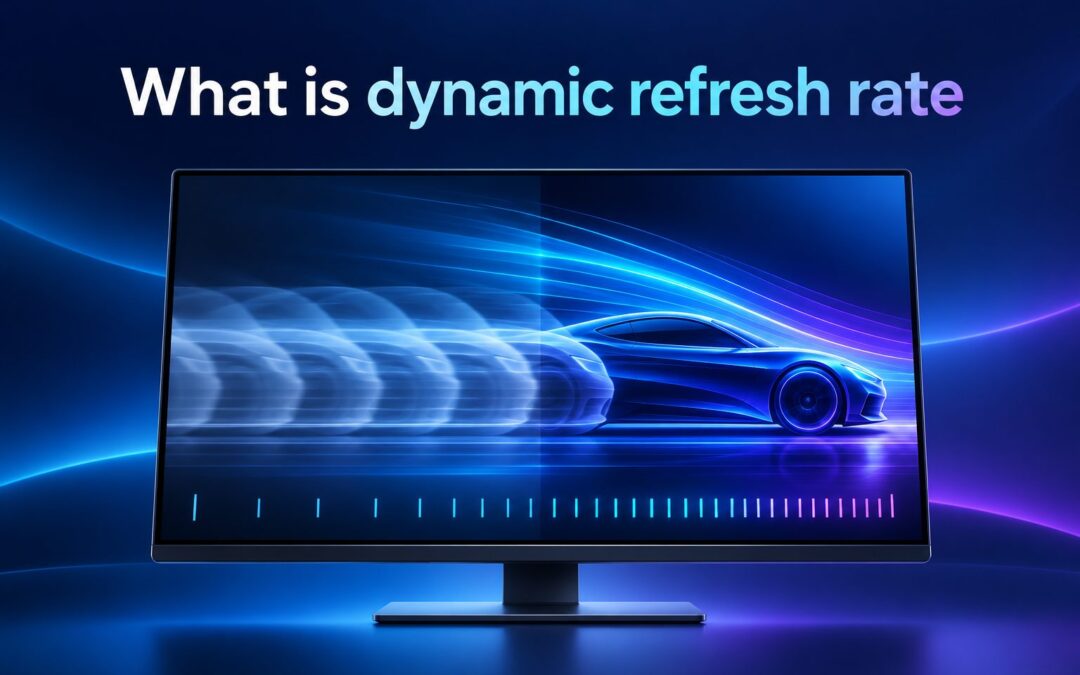
What is dynamic refresh rate, and why does it matter when choosing a phone, laptop, monitor, or television? In simple terms, it is a display technology that automatically changes how many times the screen refreshes each second. A device may use a low refresh rate when showing a still page, then switch to a higher rate when you scroll, play a game, or watch compatible video. This adjustment helps balance smooth motion, responsive controls, power consumption, and hardware performance. It can make everyday interactions feel noticeably faster without forcing the display to run at maximum speed all the time. However, results depend on the screen, operating system, applications, graphics hardware, and available settings. This guide explains how dynamic refresh rate works, why it is important, how it differs from related technologies, where it is useful, and what limitations to expect. You will also learn how to configure it, avoid common mistakes, and decide whether it should influence your next device purchase.
Dynamic Refresh Rate Meaning
The basic concept becomes easier to grasp when its main terms and behaviors are considered separately.
1. Refresh Rate Measures Screen Updates
A display refresh rate measures how many times the panel can update its picture in one second. It is expressed in hertz. A 60 Hz screen refreshes up to 60 times per second, while a 120 Hz screen can refresh up to 120 times per second.
2. Dynamic Means The Rate Can Change
The word dynamic indicates that the device does not need to remain at one fixed rate. Software and display hardware can move between supported rates according to the activity on screen, current power conditions, application behavior, and other system rules.
3. Higher Rates Improve Perceived Smoothness
At a higher refresh rate, movement can appear more continuous because the display produces updates more frequently. Scrolling through a webpage, moving a pointer, dragging a window, and navigating an interface may therefore look cleaner and feel more responsive than at a lower rate.
4. Lower Rates Can Reduce Power Use
A screen usually requires more energy when it updates more frequently. Reducing the rate during static or slow-moving content can limit unnecessary display and graphics activity. This is especially valuable for battery-powered phones, tablets, laptops, and portable gaming systems.
5. Supported Ranges Depend On Hardware
Not every dynamic display supports the same rates. One panel might switch only between 60 Hz and 120 Hz, while another can use several intermediate levels. Advanced panels may operate across a much wider range, including very low rates for nearly static content.
6. The Adjustment Is Usually Automatic
Users generally do not select a new rate for every task. The operating system, display controller, graphics processor, and application work together to choose an appropriate level. The goal is to provide smooth motion when useful while conserving energy when extra updates offer little benefit.
How Dynamic Refresh Rate Works
Several hardware and software components cooperate to adjust the screen without requiring constant user input.
1. The System Evaluates Display Activity
The operating system observes what is happening on the screen. If content remains still, a high rate may provide no visible advantage. When scrolling or animation begins, the system can request a faster rate so that motion appears smoother and input feels more immediate.
2. Applications Provide Useful Signals
Applications can influence refresh behavior through the way they render content. A drawing tool, game, browser, or video player may have different performance requirements. Properly optimized software helps the system select a suitable rate instead of using maximum performance for every screen.
3. The Graphics Processor Prepares Frames
The graphics processor creates frames for the display. Raising the refresh rate is useful only when the software and graphics hardware can deliver updates quickly enough. If frame production is slow or inconsistent, the panel’s maximum rate alone cannot guarantee fluid motion.
4. The Display Controller Changes Timing
A display controller manages the timing used to send completed frames to the panel. On compatible hardware, it can select among supported refresh modes. These transitions are designed to happen quickly, although the available levels and switching behavior vary among devices.
5. Power Policies Affect The Decision
Battery saver modes may limit the highest refresh rate or encourage more aggressive reductions. A plugged-in device may allow smoother performance for longer periods. Manufacturers balance responsiveness and endurance differently, so two products with similar panels may behave differently in practice.
6. Content Type Shapes The Final Rate
A static document may need relatively few updates, whereas fast scrolling benefits from frequent ones. Video often has a specific frame rate, and games can change speed from moment to moment. Dynamic operation attempts to match each situation without wasting processing power.
Benefits Of A Dynamic Display
A well-implemented variable display policy can improve both the viewing experience and everyday efficiency.
- Smoother Motion: Faster updates can make scrolling, animations, pointer movement, and supported games look more fluid.
- Better Responsiveness: More frequent visual updates can reduce the delay between an input and the visible response on screen.
- Longer Battery Life: Lowering the rate when content is static helps reduce unnecessary display and graphics activity.
- Balanced Performance: Automatic switching delivers extra smoothness when it matters without maintaining maximum power use continuously.
- Improved Everyday Comfort: Clearer movement can make long periods of browsing, reading, drawing, and interface navigation feel more natural.
- Less Manual Management: Users can receive practical efficiency benefits without repeatedly changing display settings for individual tasks.
Dynamic Refresh Rate And Related Technologies
Several display features sound similar, but they solve different problems and should not be treated as identical.
1. Fixed Refresh Rate Uses One Setting
A fixed configuration keeps the panel at a selected rate, such as 60 Hz or 120 Hz, until a user or system setting changes it. It offers predictable behavior but may consume more energy when a high rate remains active during static content.
2. Variable Refresh Rate Follows Frame Output
Variable refresh rate commonly refers to synchronizing display updates with frames produced by a game or other rendered workload. This can reduce tearing and visible stutter when frame delivery changes. Dynamic refresh rate often focuses more broadly on automatic performance and power management.
3. Adaptive Sync Helps Prevent Tearing
Adaptive synchronization coordinates the monitor with the graphics source so that incomplete frames are less likely to appear together. It is particularly important for gaming. Although it may exist alongside dynamic switching, its main purpose is not simply to conserve battery during static tasks.
4. Frame Rate Describes Produced Images
Frame rate measures how many frames an application or video produces each second. Refresh rate describes how often the screen can update. A 120 Hz panel does not automatically turn a game running at 30 frames per second into native 120-frame content.
5. Motion Smoothing Creates Extra Frames
Some televisions estimate and insert additional frames between original video frames. This is called motion interpolation or motion smoothing. It can make movement appear smoother, but it changes the presentation of content and is fundamentally different from changing the panel’s refresh rate.
6. Touch Sampling Is A Separate Measurement
Touch sampling rate describes how often a touchscreen checks for finger or stylus input. A high sampling rate may improve input detection even if the display refresh rate is lower. Both features affect responsiveness, but they measure different parts of the interaction process.
Where Dynamic Refresh Rate Is Useful
Real-world value depends on the device, workload, and level of motion shown on the screen.
1. Smartphones And Tablets
Mobile devices benefit greatly because their screens are used for both static reading and fast interaction. The rate can fall while displaying a photo or article, then rise during scrolling, gaming, handwriting, or interface animations, helping preserve battery without making the device feel slow.
2. Productivity Laptops
A laptop may use a modest rate while the user reads a document, then increase it during scrolling, window movement, or digital inking. This creates a useful compromise between responsive everyday operation and the battery endurance needed for travel, classes, and remote work.
3. Gaming Computers
Games can benefit from high refresh rates and synchronization technologies because frame output often changes with scene complexity. Dynamic features may improve efficiency outside games, while variable synchronization can make gameplay look more consistent. The exact benefit depends on graphics performance and panel compatibility.
4. Digital Drawing Devices
Artists and note-takers may notice smoother pen movement and more immediate visual feedback at higher rates. When the stylus is not moving, the device can reduce display activity. This combination supports responsive writing or drawing without requiring maximum refresh during every moment.
5. Televisions And Media Displays
Televisions handle films, broadcasts, menus, and games with different motion characteristics. Suitable refresh handling can present each source more appropriately. However, buyers should distinguish genuine panel capabilities from motion-processing labels, which may describe software enhancement rather than the native refresh rate.
6. Portable Gaming Systems
Handheld gaming devices must carefully balance smooth gameplay with battery life and heat. A flexible display can support lower rates for demanding games that cannot reach high frame rates, while offering faster updates for lighter titles, menus, browsing, and other responsive activities.
How To Enable Dynamic Refresh Rate
The names of settings vary, but this general process helps users find and evaluate the feature safely.
- Check Display Specifications: Confirm that the device panel supports more than one refresh rate or an adaptive refresh range.
- Update System Software: Install appropriate operating system, graphics, firmware, and display updates before changing advanced settings.
- Open Display Settings: Look for advanced display, motion smoothness, refresh rate, adaptive display, or similar options.
- Select The Dynamic Option: Choose an automatic, adaptive, or dynamic mode rather than forcing one fixed rate.
- Review Power Settings: Check whether battery saver or energy preferences restrict the highest available refresh rate.
- Test Different Activities: Compare scrolling, video, games, reading, and normal navigation to confirm that transitions work properly.
- Monitor Battery And Heat: Observe whether the selected mode offers a worthwhile balance between smoothness, endurance, and device temperature.
- Return To Default If Needed: If glitches, flicker, or excessive power use appear, restore the recommended setting and investigate compatibility.
Key Factors That Affect Refresh Performance
A refresh-rate label tells only part of the story. The complete experience depends on the surrounding hardware and software.
1. Panel Technology And Range
The panel determines which rates are possible and how efficiently it can switch between them. A wide operating range gives the system more flexibility. Some modern panels can drop very low for static screens, while simpler displays support only two or three fixed levels.
2. Graphics Processing Power
A high-rate screen needs a steady supply of frames to show its full benefit. If the graphics processor struggles, animations or games may remain uneven. Lowering visual quality or resolution can sometimes improve frame delivery more effectively than simply selecting the highest refresh setting.
3. Application Compatibility
Some applications take full advantage of adaptive display behavior, while others remain limited to a particular rate. Older software may use timing methods that do not respond well to changes. Testing important applications is therefore more useful than relying only on the device specification sheet.
4. Battery And Thermal Conditions
A device may lower performance when the battery is low or internal temperatures rise. This protects endurance and hardware stability but can reduce the refresh rate or frame rate. Such behavior is normal, particularly during long gaming sessions or intensive work on thin portable devices.
5. Cables And External Connections
External monitors require compatible ports, cables, graphics outputs, and display settings. A monitor capable of a high refresh rate may operate at a lower level if the connection lacks sufficient bandwidth. Resolution, color depth, and additional displays can also affect available modes.
6. User Sensitivity And Workload
Some people immediately notice the difference between 60 Hz and 120 Hz, while others consider it minor. The benefit is generally clearer during rapid movement and direct interaction than during static reading. Personal testing remains important when deciding whether the feature justifies added cost.
Common Dynamic Refresh Rate Mistakes To Avoid
Misleading assumptions can create disappointing results or unnecessary battery use even on capable hardware.
1. Assuming Higher Is Always Better
Maximum refresh is useful for motion, but it offers little value when the image is unchanged. Forcing the highest rate continuously can shorten battery life and increase processing demands. An automatic mode is often a more practical choice for general use on portable devices.
2. Confusing Refresh Rate With Frame Rate
A fast panel cannot create genuine game frames that the graphics system did not render. If a game runs slowly, investigate graphics settings, resolution, processor limits, and thermal conditions. The refresh rate determines display opportunity, not the actual performance of every application.
3. Ignoring Application Limits
Users sometimes expect every program to operate at the panel’s advertised maximum. Applications can impose their own limits or behave differently in windowed and full-screen modes. Check performance in the software that matters instead of judging the feature through a single menu animation.
4. Overlooking Battery Saver Restrictions
Power-saving modes often reduce refresh performance intentionally. A user may think the display is faulty when the system is simply prioritizing endurance. Review battery policies, charging status, and manufacturer settings before troubleshooting the screen or assuming that dynamic switching has stopped working.
5. Buying Based On Marketing Numbers
A large number on a product page does not describe switching range, response time, color quality, brightness, or software behavior. Compare the complete display experience. A well-tuned 120 Hz panel can be more satisfying than a faster panel with weak response or inconsistent control.
6. Using An Incompatible External Cable
Connecting a high-refresh monitor with an unsuitable cable or port may restrict it to a lower rate. Confirm the bandwidth needed for the chosen resolution and refresh combination. Also verify the operating system setting, because a newly connected monitor may default to 60 Hz.
Best Practices For Dynamic Refresh Rate
Thoughtful configuration helps preserve smoothness without creating avoidable power, heat, or compatibility problems.
1. Start With The Automatic Mode
The manufacturer’s adaptive setting is usually the best starting point because it reflects the panel’s supported behavior and system power policies. Use it for several days before forcing a fixed rate. This provides a realistic view of smoothness, endurance, and application compatibility.
2. Keep Drivers And Firmware Current
Display switching depends on several software layers, so updates may correct flicker, missing rate options, power problems, or application conflicts. Use stable updates intended for the exact device. If an issue begins after an update, document the change before adjusting unrelated settings.
3. Match Settings To Your Priorities
A traveler may favor battery life, while a competitive gamer may prioritize responsiveness. Select settings according to actual use rather than chasing the largest specification. Dynamic mode suits mixed workloads, whereas a fixed high rate may be reasonable when power consumption is less important.
4. Test On And Off Battery
Many laptops behave differently when plugged in. Compare the same scrolling, video, and gaming activities under both power conditions. This reveals whether energy policies are limiting refresh behavior and helps you choose separate settings for mobile work and desk-based performance.
5. Evaluate The Whole Display
Refresh rate should be considered alongside response time, resolution, brightness, contrast, color accuracy, flicker control, and input latency. A balanced panel delivers a better overall experience than one optimized for a single impressive number. This matters especially when buying an expensive device.
6. Use Fixed Modes For Troubleshooting
If flicker, stutter, or unusual transitions occur, temporarily choose a supported fixed rate. If the issue disappears, dynamic switching or an application interaction may be involved. This simple comparison can narrow the cause before you change drivers, cables, graphics settings, or hardware.
What Dynamic Refresh Rate Cannot Fix
Dynamic operation is useful, but it cannot compensate for every source of poor visual performance.
A high refresh rate cannot repair low-quality animation, slow application code, network lag, or an underpowered graphics processor. Each problem occurs at a different stage between user input, software processing, frame rendering, and display output.
It also cannot eliminate all blur. Pixel response time, camera movement, visual persistence, and content quality affect motion clarity. A panel may refresh quickly while individual pixels still change slowly enough to create visible smearing.
Dynamic switching does not automatically improve film detail or make low-frame-rate video genuinely sharper. It can help present content appropriately, but the source remains limited by its original resolution, compression, frame rate, and production quality.
The feature cannot guarantee longer battery life in every situation. If a device remains at a high rate because of constant motion, background activity, or application behavior, savings may be small. Screen brightness and processor load can also consume more energy.
For these reasons, treat dynamic refresh rate as one part of a complete display system. Its greatest value appears when capable hardware, efficient software, appropriate content, and sensible power management work together.
Frequently Asked Questions
1. Is Dynamic Refresh Rate The Same As 120 Hz?
No. A 120 Hz label states a maximum or available refresh mode, while dynamic refresh rate describes the ability to change rates automatically. A device may move between 60 Hz and 120 Hz, or use several other levels, depending on its panel and software.
2. Does Dynamic Refresh Rate Save Battery?
It can save battery by lowering screen and graphics activity when high-frequency updates are unnecessary. The actual improvement varies with panel technology, brightness, applications, and usage. Constant gaming or scrolling provides fewer opportunities to reduce the rate than reading static content.
3. Is Dynamic Refresh Rate Good For Gaming?
It can support an efficient overall system, but gamers should also look for variable refresh synchronization, low response time, low input latency, and sufficient graphics performance. Dynamic switching and gaming synchronization are related display concepts, yet they are not always the same feature.
4. Why Does My Screen Stay At 60 Hz?
The device may be using battery saver mode, an unsupported application, an incompatible cable, a limited port, or a default display setting. Graphics drivers and external monitor capabilities can also matter. Check the complete signal path before assuming that the panel is defective.
5. Can Dynamic Refresh Rate Cause Flicker?
Rate changes can sometimes reveal flicker, brightness shifts, or compatibility problems, particularly at low refresh levels or with certain applications. Updated software may help. Temporarily selecting a fixed supported rate is a useful way to determine whether switching behavior contributes to the problem.
6. Is A Dynamic Display Worth Paying More For?
It is often worthwhile for people who value smooth scrolling, stylus response, gaming, and balanced battery life. However, the feature should not outweigh basic display quality. Consider brightness, resolution, color, response time, battery performance, and your normal workload before paying a premium.
Conclusion
Dynamic refresh rate allows a compatible display to change how frequently it updates according to content, activity, power conditions, and system policies. Higher rates improve motion and responsiveness, while lower rates can reduce unnecessary energy use. The most effective implementations balance both goals smoothly and automatically.
When comparing devices, look beyond the maximum number and consider the supported range, graphics performance, software compatibility, battery behavior, and overall panel quality. A well-configured dynamic display can make everyday use feel smoother and more efficient, but its value ultimately depends on how well the complete device supports it.